

Samsung is quietly testing something big. While most Galaxy users outside of China have never even heard of it, a new app called Collection is starting to make waves and thanks to a leaked APK (shared by GalaxyTechie), you can now try it yourself on your Galaxy device.
What is the Samsung Collection App?
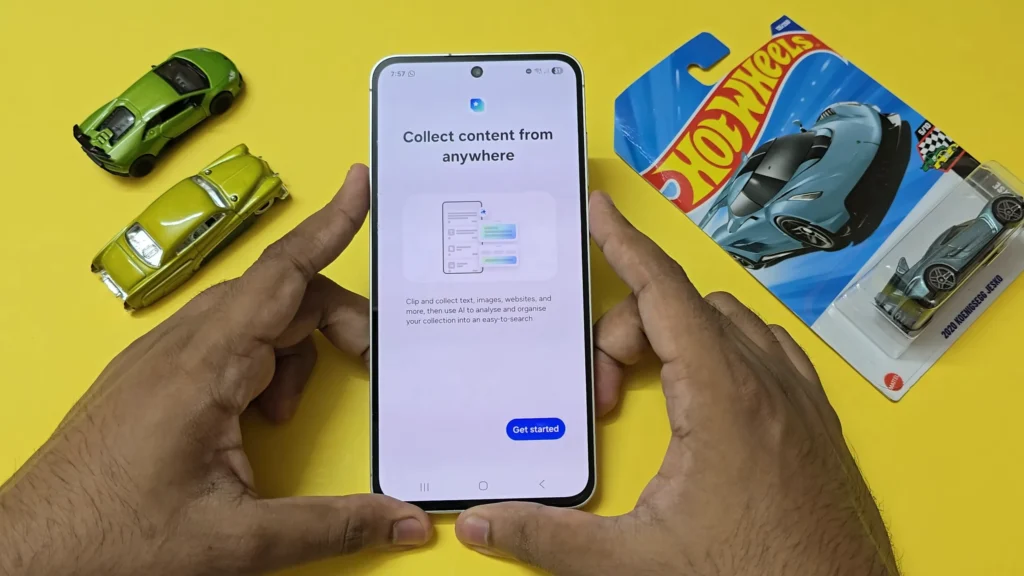
Think of Collection as your personal information hub built right into your Galaxy. Instead of juggling between apps or scrolling endlessly to find something you copied earlier, Collection lets you store and organize text, links, images, and even documents in one clean, easy-to-access place.
Here’s where it gets smarter: the app automatically categorizes your saved content based on type and even the app it came from. For example, if you copy text while browsing in Chrome, Collection will neatly file it under a “Chrome” folder. No extra steps, no chaos just instant organization.
The Catch: Officially China-Only (For Now)
Samsung originally locked Collection to Galaxy devices in China running Android 14/One UI 6 or later. But as usual, the Galaxy community found a way around this. Thanks to GalaxyTechie, the APK is now available for anyone to sideload, meaning Galaxy fans worldwide can finally get a taste of it.
What Works and What Doesn’t
Since the app isn’t officially rolled out globally, it’s still a bit of a mixed bag. The experience you get depends heavily on your One UI version:
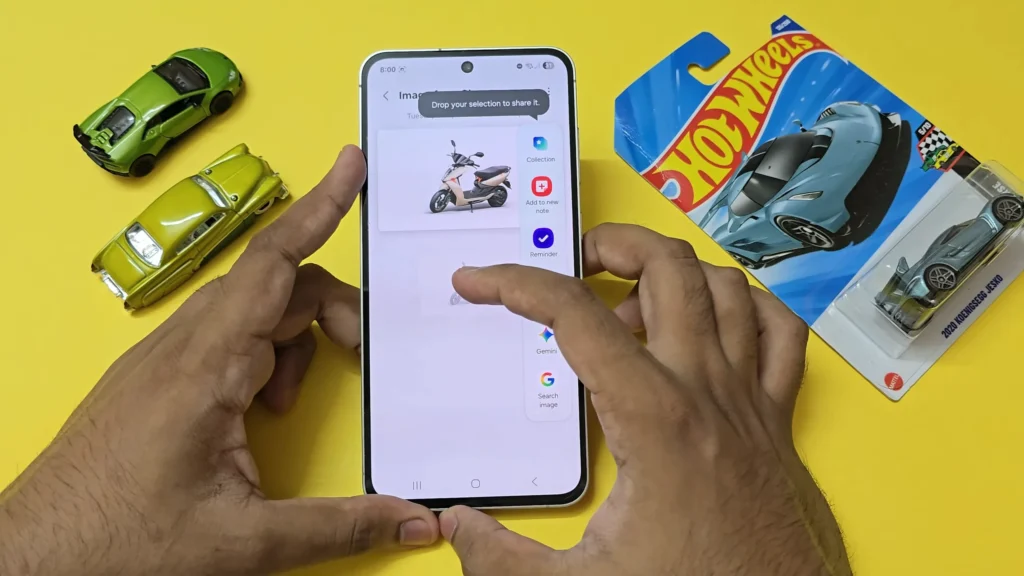
- On One UI 8, you’ll see a Galaxy AI summary option, which allows you to instantly summarize collected text. But here’s the twist the handy drag-and-drop app panel isn’t available.
- On One UI 7, it’s the opposite. You’ll get the drag-and-drop panel for moving content between apps, but you’ll miss out on the AI-powered summaries.
In short: the core functionality works, but the complete experience isn’t unlocked unless Samsung decides to make Collection official worldwide.
Download APK: Collection + Intelligent Drag & Drop.apk
Why You Should Care
Even in its limited form, Collection feels like one of the most practical Galaxy apps Samsung has built in years. Imagine quickly pulling up all the images you copied from Instagram, dragging text straight from a note into an email, or letting Galaxy AI summarize articles you’ve saved for later. It’s like Samsung Notes, Clipboard, and multitasking had a smarter baby.
Final Thoughts
Samsung’s Collection app shows just how serious the company is about making Galaxy devices productivity-first machines. While it’s still restricted and a little rough around the edges, the leaked APK gives us a sneak peek into what could become a core part of One UI in the near future.
If Samsung officially brings Collection worldwide, it could easily rival third-party productivity tools and finally give Galaxy users a seamless way to manage everything in one place.
Big thanks to GalaxyTechie for making this hidden gem accessible to the global Galaxy community.